How to Get NTN Number in Pakistan – Step-by-Step Guide 2026
If you are working in Pakistan, freelancing, running a business, or planning to become a tax filer, getting a National Tax Number (NTN) is the first step.NTN is a unique identification number issued by the Federal Board of Revenue (FBR).
It connects you to the Pakistan tax system and is required for filing tax returns, opening business bank accounts, participating in government tenders, and registering companies or businesses.This guide will explain everything you need to know about how to get NTN number in Pakistan, including online registration, required documents, verification, and tips to avoid common mistakes.
What Is an NTN Number?
An NTN (National Tax Number) is your official tax identity in Pakistan. It is issued by the FBR and serves as a unique number for individuals, freelancers, and businesses participating in taxable transactions.
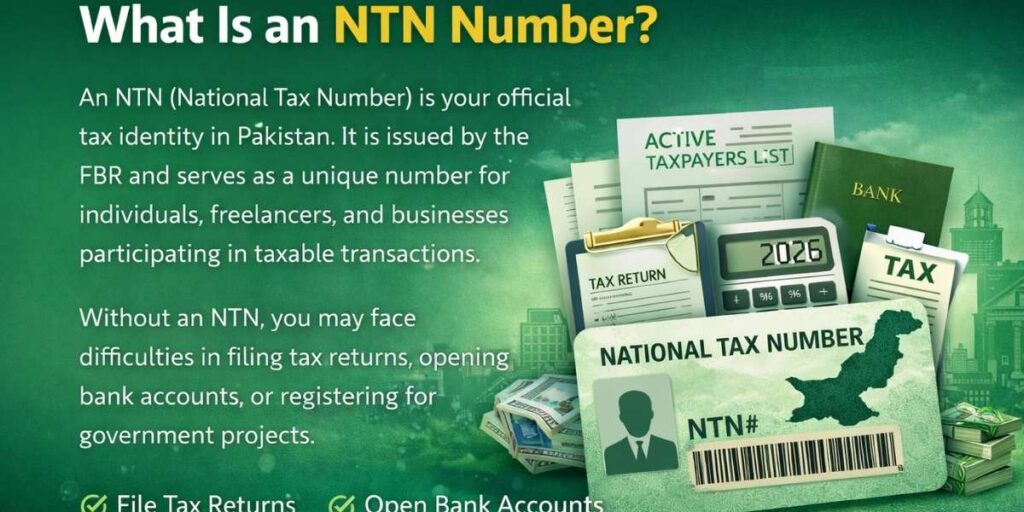
Without an NTN, you may face difficulties in filing tax returns, opening bank accounts, or registering for government projects. Having an NTN also allows you to appear on the Active Taxpayers List (ATL), which can help reduce withholding taxes and improve credibility with banks and clients.
Who Needs an NTN?
You should register for an NTN if you fall into any of the following categories:
- Salaried individuals earning taxable income
- Freelancers or self-employed professionals
- Sole proprietors, partnerships, LLPs, or private companies
- NGOs, INGOs, or AOPs
- Overseas Pakistanis holding NICOP or POC
- Foreign nationals earning income from Pakistan
Even if your income is below the taxable threshold, having an NTN is recommended for banking, credibility, and future tax compliance.
Documents and Information Required for NTN
You don’t need extensive documents for online registration, but accurate details are crucial.
For Individuals / Salaried Employees:
- CNIC (valid and registered with NADRA)
- Active mobile number
- Email address
- Residential address
For Freelancers / Business Owners:
- CNICs of all partners (if applicable)
- Business name and address
- Bank account information (optional but helpful)
Ensure that all details match NADRA records to avoid rejection.
Step-by-Step Guide: How to Get NTN Online via FBR IRIS Portal
Getting your NTN (National Tax Number) online is fast, free, and fully digital via the FBR IRIS portal. Whether you are a salaried individual, freelancer, business owner, or a POC holder, this guide will walk you through every step in simple, actionable terms.
Step 1: Visit the FBR IRIS Portal and create an account
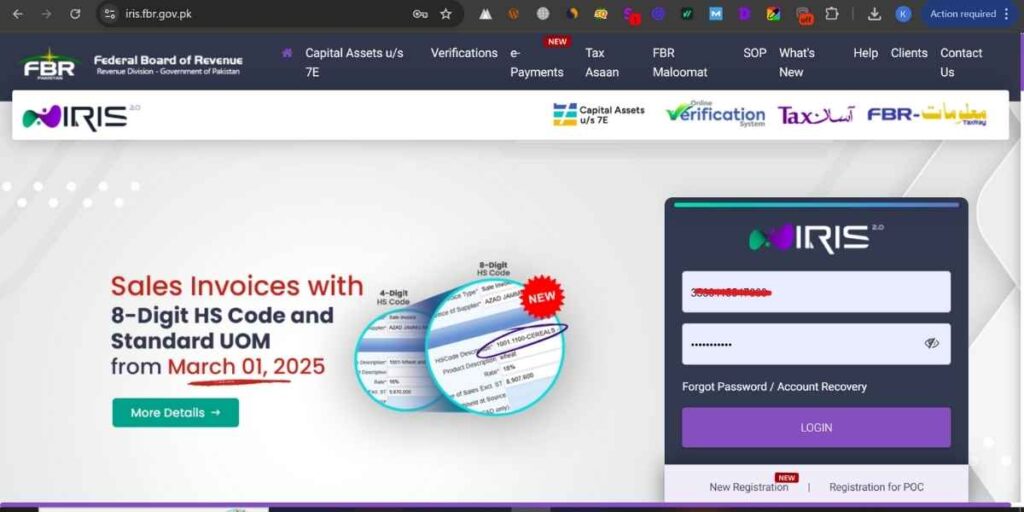
- Open your browser and go to https://iris.fbr.gov.pk.
- Click on “New Registration” to start the process.
- Ensure you use a registered mobile number and email linked to your CNIC/NICOP for verification.
Tip: Do not use a relative’s mobile/email unless registering as a family-linked user.
Step 2: Enter Basic Information
- Input your CNIC/NICOP number, full name, mobile number, and email.
- Confirm your mobile number and email to receive verification codes.
- Select “Lifetime Validity” if your CNIC is valid for life.
Step 3: Enter Address Information
- Choose Address Type: Residential or Business.
- For Residential, provide:
- House/Street/Block
- Area/Mohalla
- City and District
- For Business, provide:
- Office/Shop/Industrial details
- Street/Area/Sector
- City and District
- Make sure your address matches official records to avoid verification delays.
Step 4: Contact Information Verification
- If your mobile is registered with your CNIC: enter email and number.
- If linked to a relative/family CNIC: provide their CNIC and relationship.
- Click Next, and the system will send a 6-digit OTP to your mobile/email for verification.
Tip: OTP must be entered correctly. If it fails, you can resend or request a new one.
Step 5: Create Login Credentials
- After OTP verification, create a strong password and PIN for your IRIS account.
- This login will be used to submit your NTN application and access your profile.
- Click Save for Verification — the system will validate your details with NADRA in real-time.
Step 6: Submit NTN Registration Form
- Log in to your IRIS account using your new credentials.
- Navigate to “Registration” → “Form of Registration”.
- Fill in the form carefully:
- Personal or business details
- Bank account information (if applicable)
- Upload documents if required (usually for businesses or POC holders)
- Review all entries before submission.
Step 7: Verification and Approval
- FBR will process your application in 1–2 working days.
- You will receive confirmation via email/SMS once your NTN is approved.
- A token number will be provided to track the application status.
Tip: Check for common mistakes such as incorrect CNIC, email, or mobile number to prevent rejection.
Step 8: Download Your NTN Certificate
- Once approved, log in to the IRIS portal.
- Download your NTN certificate directly — no need to visit the Regional Tax Office.
- Keep both digital and printed copies for banking, business, and tax purposes.
Step 9: Special Instructions for Different Users
POC Holders / Non-Residents:
- Register under “POC Holder Registration” in IRIS.
- Provide: POC number, passport copy, foreign address, and utility bills.
- Submit and verify email to complete registration.
Businesses / Freelancers:
- After individual NTN registration, apply separately for business or partnership NTN if needed.
- Include all relevant business documents for verification.
Step 10: Verify Your NTN Online
- Visit the FBR Active Taxpayers List (ATL) portal.
- Enter your CNIC or NTN and complete the captcha.
- If your name appears, your NTN is active and valid.
Tip: Always verify your NTN before using it for banking or contracts.
Register Free NTN for POC Holder
Overseas Pakistanis or POC (Pakistan Origin Card) holders can also register for a free NTN through the FBR IRIS portal. This allows non-residents to stay compliant with Pakistan’s tax laws if they earn Pakistan-source income or plan financial transactions in the country.
Steps for POC Holder NTN Registration:
- Visit the IRIS portal and select “Registration for POC Holder”.
- Enter your POC number, issuance date, name, and contact details (email and international cell number).
- Provide your foreign and Pakistan address accurately.
- Upload the following attachments:
- Copy of Passport (photo page + entry/exit page)
- Copy of POC card (front & back)
- Utility bill (electricity/gas) of local/foreign residence
- International mobile bill or certificate proving ownership
- Verify your email using the code received from FBR.
- Submit the registration form.
- After FBR approval, you can verify and download your NTN via the IRIS portal.
Note: POC holders can also register a sole-proprietor business in Pakistan using this NTN.
How to Get NTN for Different Categories
FBR allows registration for multiple types of taxpayers through the same portal:
- Individuals / Salaried Employees – Register using CNIC and residential address
- Freelancers – Declare profession and local/foreign income sources
- Sole Proprietors / Companies / Partnerships / LLPs – Register business NTN separately after individual NTN
- POC / NICOP holders – Non-resident taxpayers can register online with additional POC verification
Manual NTN Registration (If Online Is Not Possible)
If you cannot register online, you can apply manually:
- Visit the nearest Regional Tax Office (RTO)
- Submit your CNIC and personal/business information
- FBR officer will verify your information
- NTN is issued after verification
Manual registration is slower and recommended only if online registration fails.
How to Verify Your NTN
You can confirm your NTN status online:
- Visit the FBR Active Taxpayers List (ATL) portal
- Enter your CNIC or NTN number
- Complete the captcha and click Verify
If your record appears, your NTN is active and valid.
Common Mistakes to Avoid
To avoid delays or rejection, make sure you do not:
- Use a mobile number or email not registered with NADRA
- Provide incorrect CNIC or residential/business address
- Upload unclear documents
- Register the business before registering the individual NTN
- Ignore OTP verification from the IRIS portal
Double-checking your details before submission can save time and frustration.
NTN vs Filer Status vs ATL
It’s important to understand these terms:
| Term | Meaning | Action Needed |
| NTN | Your tax registration number | Apply via IRIS portal |
| Filer | Someone who files annual tax returns | File return to become filer |
| ATL | Active Taxpayers List | Stay updated and file taxes |
Getting an NTN alone does not make you a filer. You must file your tax return to enjoy lower withholding taxes and appear on ATL.
After Getting Your NTN
Once you receive your NTN:
- File your annual income tax return on time
- Update address, employment, or business details in IRIS
- Use NTN when opening bank accounts or applying for tenders
- Keep both digital and physical copies of your certificate
FAQs About NTN Registration
Can I get NTN without a business?
Yes, salaried individuals and freelancers can register using CNIC and residential address.
How long does NTN registration take?
Online registration usually takes 1–2 working days. Manual registration takes longer.
Can overseas Pakistanis apply?
Yes, NICOP / POC holders can register through the IRIS portal.
What if I lose my NTN?
You can retrieve it online using CNIC via IRIS portal or contact FBR helpline.
How to get NTN number for overseas Pakistani?
Overseas Pakistanis can get an NTN online via the FBR IRIS portal under POC Holder Registration. Provide your POC number, passport copy, foreign address, and verify your email to complete registration.
Is the NTN number the same as the CNIC?
A2: No, the NTN (National Tax Number) is different from a CNIC. CNIC is your national identity, while NTN is issued by FBR for tax purposes and is required for financial and business transactions in Pakistan.
Final Thoughts
Getting your NTN in Pakistan is free, simple, and essential for financial compliance.
Whether you are an individual, freelancer, or business owner, registering your NTN ensures:
- You avoid unnecessary penalties
- You stay legally compliant
- You gain credibility with banks, clients, and the government
- You can participate in tenders, contracts, and financial transactions
Follow this step-by-step guide carefully and keep your NTN safe for all future financial and tax-related purposes.