How To Check PTA Tax by IMEI
How to check PTA tax by IMEI using your mobile is very easy. You can follow the simple steps below to find the exact tax details of your phone. Below is the button of pta tax calculator by IMEI. Click and enter your model and brand, and calculate your tax
What is IMEI Number?
IMEI (International Mobile Equipment Identity) is a special 15-digit number given to every mobile phone. This number is used to identify your device anywhere in the world. It also helps you check whether your phone is original or fake, stolen or blocked, and whether it is PTA-approved or not.
If your IMEI is not registered with PTA, your phone will not work on mobile networks in Pakistan.
check pta tax by IMEI online is very easy and accessible for every user. Before checking the tax, you first need to know your phone’s IMEI. You can find it in the following ways:
How to Check IMEI Number
1. IMEI Check Code
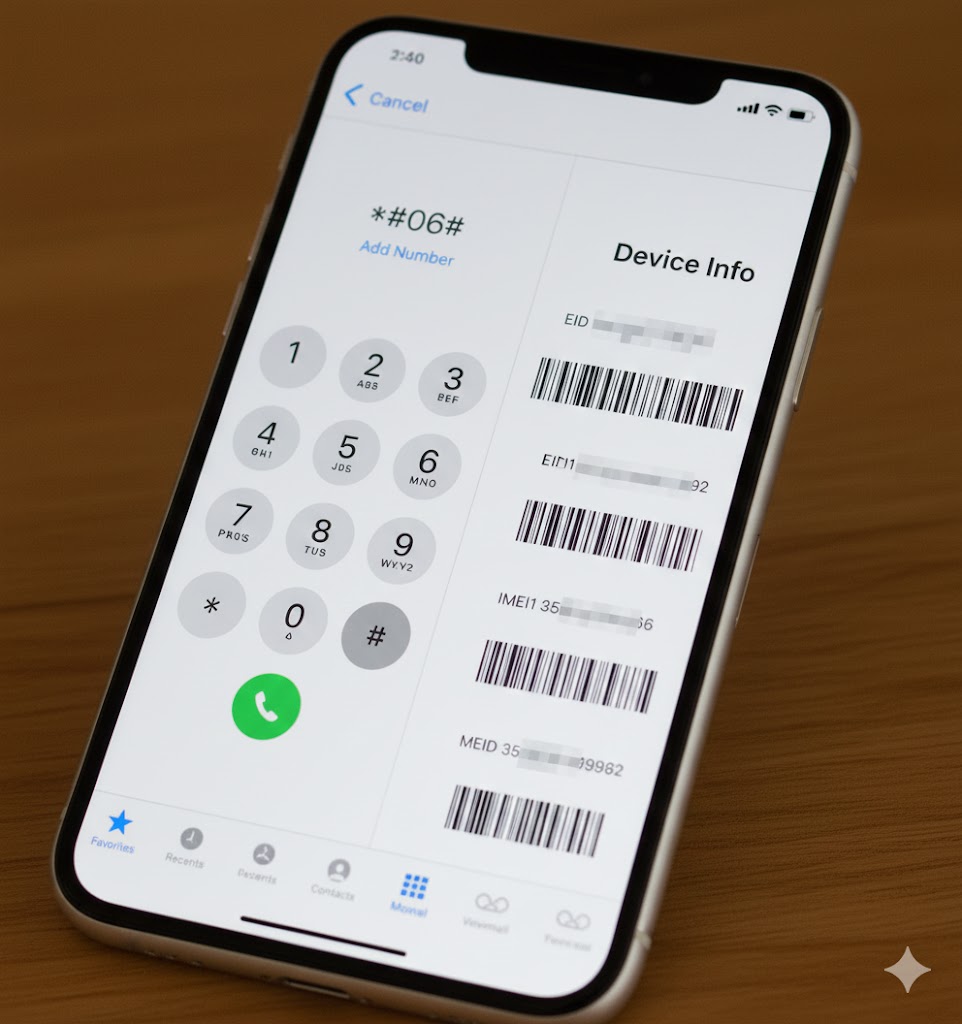
You can check your IMEI using a simple code:
Just dial *#06# on your phone. Your IMEI number will appear on the screen.
2. Find IMEI Number Without Phone
Check the Phone Box Look at the original box of your mobile. The IMEI number is printed on the sticker.
Check Purchase Documents If you have the purchase receipt or warranty card, you can find your phone’s IMEI written there.
Use Google Account (Find My Device)
If your phone is connected to your Google account:
- Open another phone or computer
- Go to myaccount.google.com
- Open the Dashboard
- Sign in
- Click Find My Device
- You will see all your linked devices
- Click the “i” icon to view details like the IMEI number
4. Contact Your Mobile Network You can also call your mobile network company (Jazz, Zong, Telenor, Ufone) and ask for help in finding the IMEI.
Check PTA Approval Status (PTA Approved or Not)
Once you have your IMEI number, you can easily check whether your phone is PTA approved.
There are two simple and commonly used methods to check PTA status.
Method 1: Check PTA Status by SMS
To check if your phone is PTA approved:
- Open the Messages app
- Type or paste your IMEI number
- Send it to 8484
- You will receive a reply telling you if your phone is PTA approved or not
Check PTA Approval (PTA Status) Online by IMEI
To check whether your mobile is PTA approved or not, you only need your phone’s IMEI number. Just follow the steps below:
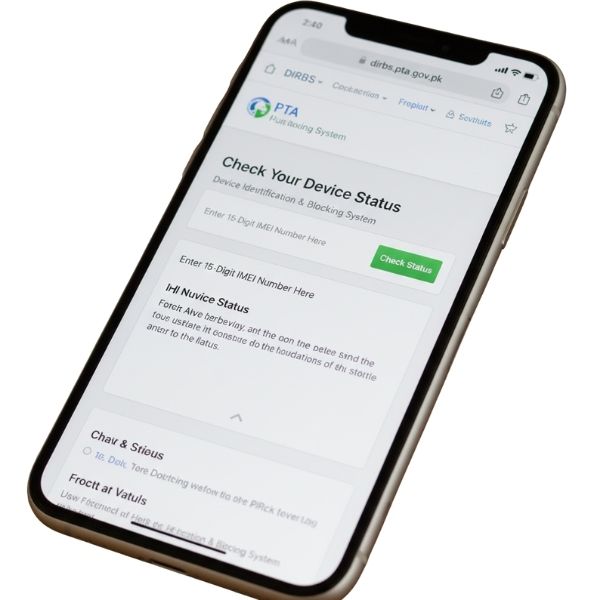
- Open the website: dirbs.pta.gov.pk
- Enter your IMEI number in the box and press Check
After clicking the button, you will get one of these three results:
- Compliant / Valid
- Non-Compliant
- Blocked
If the result shows Compliant / Valid, it means your phone is fully PTA approved. You can use it in Pakistan without paying any tax.
If the result shows Blocked, then the phone cannot be used in Pakistan.
If the result shows Non-Compliant, then you need to check how much PTA tax you must pay for your mobile model.
When you see Non-Compliant, the system will also show your phone’s model (for example: Redmi 13). After that, you can use an online PTA Tax Calculator to know the exact tax amount.
Use PTA Tax Calculator Online
The online PTA tax calculator has simple fields where you enter your mobile details to get the tax amount. Follow these steps:
- Enter your mobile brand (Apple, Samsung, Xiaomi/Redmi, etc.)
- Enter your mobile model
- Click on Calculate Tax, and the tax details will appear on the screen
You can click the provided link to calculate PTA tax for your mobile online.